This site is undergoing development; systems and processes will be documented here as the documentation is created.
See the index on the left of this page for further detail.
Please acknowledge in your publications the role the Experimental Computing Laboratory (ExCL) facility played in your research. Alerting us when a paper is accepted is also appreciated. See Acknowledgment for details.
See Requesting access for information on how to request access to the system.
How to Login
See for more details.
Shell login: ssh login.excl.ornl.gov
ThinLinc Session:
Getting Assistance
Please send an email request to for assistance. This initiates a service ticket and dispatches it to ExCL staff.
The path to access to each individual EMU node is: login.excl.ornl.gov ⇒ emu-gw ⇒ emu ⇒ {n0-n7}
emu-gw
Development Workflow
The EMU software development kit (SDK) is installed under /usr/local/emu on emu-gw, which is an x86 based system. Compilation and simulation should be performed on this machine.
The official EMU programming guide is located under /usr/docs.
emu and emu-gw mount home directories, so you should have no difficulty accessing your projects. Please use $HOME (or ${HOME}
Other Resources
This document will be updated with additional documentation references and user information as it becomes available.
Please acknowledge in your publications the role the Experimental Computing Laboratory (ExCL) facility played in your research. Alerting us when a paper is accepted is also appreciated.
Sample acknowledgment:
This research used resources of the Experimental Computing Laboratory (ExCL) at the Oak Ridge National Laboratory, which is supported by the Office of Science of the U.S. Department of Energy under Contract No. DE-AC05-00OR22725
You may use any variation on this theme, calling out specific simulations or portions of the research that used ExCL resources, or citing specific resources used.
However, the crucial elements to include are:
The spelled out center name (it's okay to include the acronym, too): Experimental Computing Laboratory (ExCL)
Office of Science and U.S. Department of Energy
Contract No. DE-AC05-00OR22725
Additionally, when you add the paper to Resolution, please add “Experimental Computing Laboratory” to Research Centers and Institutes under Funding and Facilities as show in this image.
We appreciate your conscientiousness in this matter. Acknowledgment and pre-publication notification helps ExCL communicate the importance of its role in science to our sponsors and stakeholders, helping assure the continued availability of this valuable resource.
is an x86-based gateway node.
The emu is the system board controller (sbc) and individual nodes are accessed only via this host.
Connections to emu from the emu-gw are via preset ssh keys that are created during account creation. If you can't log in, your user account/project do not have access to EMU systems.
) as your home directory in scripts, as the mount location of your home directory, may change.
Acknowledge ExCL in Resolution
minim1
explorer
excl-us
radeon
quad
Outages and Maintenance Policy
ExCL reserves the first Tuesday of every month for systems maintenance. This may result in complete inaccessibility during business hours. Every effort will be made to minimize the scope, duration, and effect of maintenance activities.
If an outage will affect urgent projects (i.e., with impending deadlines) please email [email protected] as soon as possible.
Xavier
thunderx
Milan
mcmurdo
Hudson
Two Nvidia H100s are now available on hudson.ftpn.ornl.gov. From Nvidia documentation:
The NVIDIA H100 NVL card is a dual-slot 10.5 inch PCI Express Gen5 card based on the NVIDIA Hopper™ architecture. It uses a passive heat sink for cooling, which requires system airflow to operate the card properly within its thermal limits. The NVIDIA H100 NVL operates unconstrained up to its maximum thermal design power (TDP) level of 400 W to accelerate applications that require the fastest computational speed and highest data throughput. The NVIDIA H100 NVL debuts the world’s highest PCIe card memory bandwidth of nearly 4,000 gigabytes per second (GBps)
Basic validation has been done via running the nvidia samples nbody program on both devices:
10485760 bodies, total time for 10 iterations: 401572.656 ms
= 2738.014 billion interactions per second
= 54760.284 single-precision GFLOP/s at 20 flops per interaction
The GPUs are available to the same UIDs as are using the A100s on milan0. If nvidia-smi does not work for you, you don't have the proper group memberships -- please send email to [email protected] and we will fix it. nvhpc is installed as a module as it is on other systems.
ExCL Team
The Experimental Computing Laboratory is a Advanced Computing Systems Research project directed by Jeffrey Vetter. Support staff include:
- systems engineer
- software engineer
Contact for assistance.
Frequently Encountered Problems
I can't log in
There are two most likely sources of this problem
Password won't work
BlueField-2
These card are currently installed on Secretariat and Affirmed, but will eventually be moved to take advange of GPUs installed elsewhere.
Software installation
All DOCA, embedded and BSP software was updated in September 2023, using the following:
lewis
Currently has a U250 installed with a custom application deployed which requires an older linux kernel.
The most frequent cause is having your visitor (non-ORNL internal password) wrong, or having had it expire. See https://xcams.ornl.gov to address this. If you are ORNL staff, a frequent cause is a failure to keep your internal ORNL systems password up to date (UCAMS) or have missed required training. ExCL makes the same check that any ORNL system makes as to whether a password is valid or an account exists (you will not be able to differentiate the two errors based on the login failure). This will look like
Too many login attempts from a given IP address
ExCL limits logins to five consecutive failures within a short period of time. After that limit exceeded, login atempts from your IP address will be blocked. This might look like
To have this addressed, report your IP address to [email protected]. If you are on an ORNL network, you can use the usual native tools on your system to find your IP address. If you are at home and on a network using NAT (as most home networks do) use What Is My IP? Best Way To Check Your Public IP Address to determine your public IPv4 address when external to the lab. Note that this will not report the correct address if you are on an ORNL (workstations or visitor) network.
I can’t clone my git repo
The recommended approach for accessing git repositories in ExCL is to use the SSH protocol instead of the HTTPS protocol for private repositories and either protocol for public repositories. However, both approaches will work with the proper proxies, keys, applications passwords, and password managers in place.
To use the SSH protocol you must first setup SSH keys to the git website (i.e. GitLab, GitHub, and Bitbucket). See Git - Setup Git access to code.ornl.gov | ExCL User Docs (ornl.gov) for details for how to do this for code.ornl.gov. The other Git Clouds have similar methods to add SSH keys to your profile.
Since the worker nodes are behind a proxy. You must setup an SSH jump host in your .ssh/config to access Git SSH servers. See Git - Git SSH Access | ExCL User Docs (ornl.gov) to verify that you have setup the proper lines in your SSH Config.
I need a newer version of pip
See Python | ExCL User Docs for instructions on how to setup a Python virtual environment with the latest version of pip.
I need a newer version of Python
See Python | ExCL User Docs for instructions on how to use UV to setup a Python virtual environment with a specific python version.
As currently configured this system is usable using conventional ssh logins (from login.excl.ornl.gov), with automounted home directories. GPU access is currently cooperative; a scheduling mechanism and scheduled access is in design.
The software is as delivered by the vendor, and may not be satisfactory in all respects as of this writing. The intent is to provision a system that is as similar in all respects to Summit, but some progress is required to get there. This is to be considered an early access machine.
This system is still being refined with respect to cooling. As of today, rather than running at the fully capable 300 watts per GPU, GPU usage has been limited to 250 watts to prevent overheating. As cooling is improved, this will be changed back to 300 watts with dynamic power reduction (with notification) as required to protect the equipment.
It is worth noting that this system had to be pushed quite hard (six independent nbody problems, plus CPU stressors on all but 8 threads) to trigger high temperature conditions. These limits may not be encountered in actual use.
Important: Make sure to check the setting Remote.SSH: Lockfiles in Tmp.
Setup FoxyProxy
Launch SOCKS dynamic proxy forwarding to the login node using dynamic forwarding with SSH.
On Linux or macOS, via the SSH flag -D
or in the ssh config add the DynamicForward option
On Windows, use MobaSSHTunnel to set up Dynamic Forwarding. See for more information on port forwarding in windows.
Setup FoxyProxy
Install the FoxyProxy or .
Siemens EDA
Getting Started with Siemens EDA Tools.
The EDA tools are installed on the system dragon. dragon can be access via ssh from the login node, via x11 forwarding from the login node's ThinLink, or directly via ThinLink with Foxy Proxy. See ThinLinc Quickstart to get started with ThinLinc Setup. See Accessing ExCL for more details on logging in.
ThinLinc access to dragon (Requires reverse proxy to be setup):
All of the tools are installed to /opt/Siemens and the tools can be set up with
Also, please join the siemens-eda slack channel in the ORNL CCSD slack.
Ollama
Getting started with Ollama.
Ollama is deployed in ExCL as a module. To use Ollama, load the module, and then you have access to the ollama CLI interface.
Load the Ollama module with:
Ollama has a server component which stores files in its home. This server component should be launched using a service account by ExCL admin, since it provides ollama for the entire system. Ollama is already running on some of the workers in ExCL. See the output from the model load for an up-to-date list. Contact [email protected] if you would like ollama to be available on a specific system.
Ollama API
When interacting with the Ollama server via the in ExCL, you need to unset the http_proxy and https_proxy environment variables, since you are trying to connect to an internal http server instead of a remote one.
Examples of using the Ollama API can be found at .
Links
Compilers
Compilers are, in general, maintained from a central NFS repository, and made accessible via the module command (from Lmod). For example
If you do not load a module, you will get the default compiler as delivered by the operating system vendor (4.8.5 on some systems). If you module load gnu you will currently get 12.1.0, as it is the default. If you need, say, 10.2.0, you need to module load gnu/10.2.0. Note that documentation details with respect to compiler availability and versions will not necessarily be kept up to date; the system itself is authoritative.
Some compilers (notably xlc and the nvhpc tool chain) cannot be installed on nfs, so if they are availble they will show up in a different module directory. The same module commands are used.
Additional compilers can be installed on request to [email protected]. Maintaining multiple Gnu suites is straightforward, less so for other tool suites.
Additional compilers and tools can also be installed using .
snapdragon
This document describes how to access Snapdragon 855 HDK boards through mcmurdo and amundsen excl computing machines. The Snapdragon 855 HDK board is connected to Ubuntu linux machines through ADB.
Description
The Qualcomm® Snapdragon™ 855 Mobile Hardware Development Kit (HDK) is a highly integrated and optimized Android development platform.
Accessing this system:
Backup & Storage
See the .
Backup
User files (home directories) are stored on an ZFS-based NFS server, and are generally available to all ExCL systems (there are exceptions for operational and security reasons; if you trip over something please let know). The /noback/<user> facility is no longer supported and is not being created for new users accounts. Files already in the /noback hierarchy will not be affected; if you would like assistance in moving these files to your home directory please let
pcie
pcie
Description
This system is intended for pci-based device support.
MPI
Build and run MPI (Message Passing Interface) enabled codes on ExCL
While our file server, backup file server, and ORNL-provided tape backup are quite robust, ExCL does not have formally supported backups. Please store important files in source control, for example using git with gitlab or github. Important data (if any) should be duplicated elsewhere; contact [email protected] for assistance.
ExCL uses ZFS with snapshots. Zrepl (https://zrepl.github.io/) handles both automated snapshot generation and file system replication. Snapshots are taken hourly, and ExCL file systems are replicated to the back up (old FS00) fileserver. The snapshot directory name format is ~/.zfs/snapshots/zrepl_yyyymmdd_hhmmss_000 (where the hour is in UCT not Eastern Daylight/Standard Time). The use of UCT in the snapshot name is a zrepl property to enable global replication consistency, and is not modifiable. If you deleted or made a destructive modification to, say, ~/.bashrc on, say, June 11, 2024 at 3 PM, it should be available in ~/.zfs/snapshots/zrepl_20240611_185313_000/.bashrc, and in earlier snapshots.
Snapshots take space for files that have changed or been deleted. They are automatically deleted as they age, so that hourlies are kept for 48 hours, one hourly from each day is kept for 30 days, and one hourly for each 30 day period is kept for 180 days. This policy can be modified on request. Snapshots are read only; you can copy files from them back into your home directory tree to restore them.
There is currently no file purge policy. Given that ExCL researchers take care of cleaning up files that are no longer in use, no change to this policy is foreseen. Files for inactive users are archived in a non-snapshot file system. While it is our intent to continue maintaining storage for inactive users, this policy may change in the future.
Quotas
Refquotas are applied to the ZFS filesystems to avoid runaway storage usage. A refquota limit applies only to your files, not to snapshot storage. ZFS stores data in a (very fast) compressed format, so disk usage may appear to be less than you expect. Home and project subvolumes start with a refquota of 512G. Users can request higher quotas via [email protected]. We can also help diagnose the cause of large storage use by providing a breakdown of file usage and helping clean up unneeded large files and snapshots.
Local Storage
In addition to shared network storage, each system has a local /scratch directory. The size will vary from system to system, and some systems may have /scratch2 in addition. A working space can be created with mkdir /scratch/$USER if one is not already present. This storage location is good for caching files on local host storage, for speeding up tasks which are storage IO bound, and performing tasks which fail on NFS storage (for example, Apptainer and embedded Linux builds). If you require more scratch storage than is available contact [email protected] as on newer systems there is often additional storage available that has not been allocated. Similarly contact us if there is no /scratch or /scratch2 directory. Since there is (currently) no purging policy, please clean up after you no longer need your scratch space.
/scratch/ is not shared between nodes, not stored in raid, and not backed up in any way. However, this storage does not have any automatic purging policy (unlike /tmp/), so the files should persist as long as the storage doesn’t fill up and the drives don’t fail.
Setup FoxyProxy by adding a new proxy for localhost on port 9090. Then add the regular expression URL pattern .*\.ftpn\.ornl\.gov to forward ThinLinc traffic to ExCL.
-np 4 specifies that 4 processes will be created, each running a copy of the mpi_hello_world program
-mca coll_hcoll_enable 0 disables HCOLL
Notes
InfiniBand and HCOLL
ExCL systems typically do not have InfiniBand setup. (Although if this is required, it can be added as needed.) HCOLL (HPC-X: Collective Communication Library) requires an InfiniBand adapter and since it's enabled by default, you could see HCOLL warnings/errors which state that no HCA device can be found. You can disable HCOLL and get rid of these warnings/errors with the -mca coll_hcoll_enable 0 flag for example: mpirun -np 4 -mca coll_hcoll_enable 0 ./a.out.
$ module load nvhpc-openmpi3
$ ssh -D 9090 <Username>@login.excl.ornl.gov
DynamicForward 9090
## mpi_hello_world.c
#include <mpi.h>
#include <stdio.h>
int main(int argc, char** argv) {
// Initialize the MPI environment
MPI_Init(NULL, NULL);
// Get the number of processes
int world_size;
MPI_Comm_size(MPI_COMM_WORLD, &world_size);
// Get the rank of the process
int world_rank;
MPI_Comm_rank(MPI_COMM_WORLD, &world_rank);
// Get the name of the processor
char processor_name[MPI_MAX_PROCESSOR_NAME];
int name_len;
MPI_Get_processor_name(processor_name, &name_len);
// Print off a hello world message
printf("Hello world from processor %s, rank %d out of %d processors\n",
processor_name, world_rank, world_size);
// Finalize the MPI environment.
MPI_Finalize();
}
$ which mpicc
/opt/nvidia/hpc_sdk/Linux_x86_64/24.5/comm_libs/openmpi/openmpi-3.1.5/bin/mpicc
$ mpicc ./mpi_hello_world.c
$ mpirun -np 4 -mca coll_hcoll_enable 0 ./a.out
--------------------------------------------------------------------------
[[63377,1],2]: A high-performance Open MPI point-to-point messaging module
was unable to find any relevant network interfaces:
Module: OpenFabrics (openib)
Host: milan0
Another transport will be used instead, although this may result in
lower performance.
NOTE: You can disable this warning by setting the MCA parameter
btl_base_warn_component_unused to 0.
--------------------------------------------------------------------------
Hello world from processor milan0.ftpn.ornl.gov, rank 2 out of 4 processors
Hello world from processor milan0.ftpn.ornl.gov, rank 0 out of 4 processors
Hello world from processor milan0.ftpn.ornl.gov, rank 1 out of 4 processors
Hello world from processor milan0.ftpn.ornl.gov, rank 3 out of 4 processors
Qualcomm board is connected to an HPZ820 workstation (McMurdo) or to an HP Z4 workstation (Clark) through USB
Development Environment: Android SDK/NDK
Login to mcmurdo or clark
$ ssh –Y mcmurdo
Setup Android platform tools and development environment
$ source /home/nqx/setup_android.source
Make sure you have a functining environment
adb kill-server
adb start-server
adb root (restart adbd as root)
adb devices (to make sure there is a snapdragon responding)
Service to host internal documentation for code under development.
DevDocs
This guide goes over hosting internal to ORNL documentation using ExCL’s devdocs VM. For an example of a project which uses devdocs, see Hunter and Hunter Documentation (Source).
The documentation for hunter is built with GitLab-CI. Here are the relevant lines in .gitlab-ci.yml.
Request a DevDocs Site
If you would like to host your project’s internal documentation on ExCL, please email with the following information and we can help you get started with a DevDocs subdirectory and the DevDocs GitLab Runner.
URL
Project Name (This will be your DevDocs subdirectory)
Julia
Getting Started with Julia in ExCL with best practice recommendations.
Use module load julia to load the Julia tooling on an ExCL system.
Julia VSCode Extension in ExCL
Since Julia is install and loaded as a module, the Julia VSCode extension has trouble finding the Julia executable needed to run properly.
Therefore to use the extension on ExCL worker nodes via Remote SSH, you must explicitly set the Julia executable location to the correct path.
This can be done by setting the julia.executablePath to point to the Julia executable that the extension should use, which is this case is the one loaded by the module load command for the version of Julia you want to use.
Once set, the extension will always use that version of Julia.
To edit your configuration settings, execute the Preferences: Open User Settings command (you can also access it via the menu File->Preferences->Settings), and then make sure your user settings include the julia.executablePath setting.
The format of the string should follow your platform specific conventions, and be aware that the backlash \ is the escape character in JSON, so you need to use \\ as the path separator character on Windows.
To find the proper path to Julia, you can use which julia after the module load command.
At the time of writing this page, the default version of Julia installed on ExCL is 1.10.4 and the julia.executablePath should be set as shown below.
Using Julia with Jupyter
Within ExCL, the first step is to load the Julia module with module load julia to load the Julia tooling into the ExCL system.
The second step is to install Jupyter, see
The third step is to install ‘IJulia’ using the Julia REPL. Launch the Julia REPL with julia then press ] to open the package management, then run add IJulia.
Finally, the last step is to and select the Julia kernel to use.
See for more information.
Authoring Guide
→ → →
Authoring Guide for ExCl
Perhaps you've got some how-to documents tucked away in folders that you'd like to share with the community. Or maybe you've discovered a way of doing things that would benefit other users.
You can submit your user guides for publication within the
Python
Getting Started with Python in ExCL with best practice recommendations.
This page covers a few recommendations and tips for getting started with Python in ExCL following best practices for packaging python projects and using virtual environments. There are many different ways to structure and package python projects and various tools that work with python, so this page is not meant to be comprehensive but to provide a few recommendations for getting started.
Python Virtual Environments with venv
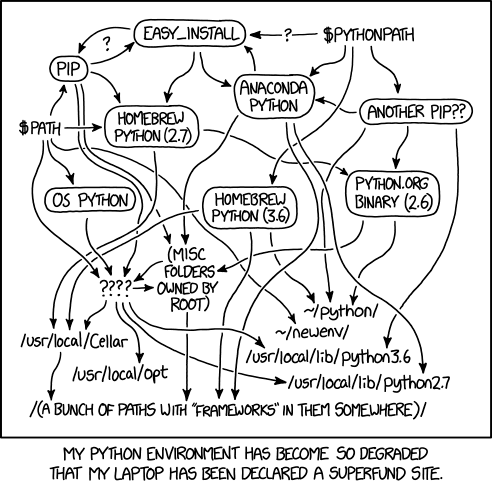
Using virtual environments is the recommended way to isolate Python dependencies and ensure compatibility across different projects. Virtual environments prevent conflicts between packages required by different projects and simplify dependency management. The goal with isolated, project specific python environments is to avoid the situation found in .
Oak Ridge National Laboratory (ORNL) uses the Chicago Manual of Style (CMOS) as a basic style guide.
Define the first instance of every acronym in each document. Ensure that the long-form is not repeated after it is defined.
Buttons and links that the user should "click" should go in code. For example, "Next, click the Manage Rules button."
Put 📝 in front of NOTES. Renders: 📝
Use ▾ for those "carrot" drop-down menus. Renders: ▾
For headings: only use title case for the first three heading levels, #, ##, and ###. The remaining header levels should be sentence case.
Pictures and Images
Screenshots and images cannot be resized using markdown. Therefore, we embed .html that is rendered when we publish the tutorial to the documentation site.
Images and screenshots should be stored in a folderassets. Images and screenshots added from the gitbook interface are stored in .gitbook/assets, but issues seem to occure if this folder is modified externally from gitbook.
Files should be named descriptively. For example, use names such as adding-IP-address.png instead of image03.png.
To remain consistent with other images in tutorials, please use the following .html code to resize, add a border, and open in a new browser tab when clicked. Note that you'll need to change the file name twice in the following code.
Other Considerations
Have you redacted sensitive information from text and images?
Have you removed information that is protected by copyright?
Are you using a specific version of your software and have you included in the documentation?
If you are a using the fish shell, the simple function show below is a wrapper around venv to activate a python virtual environment if one already exists in .venv in the current directory or create a new virtual environment and activate it if one does not already exist.
This pvenv function is already configured system wide for fish on ExCL systems.
To create the virtual environment without using the wrapper function is also easy.
The virtual environment can be exited with deactivate.
Creating a Python Project in using the Hatch build system with CI support
Python Project Template provides a template for creating a python project using the hatch build system with CI support using ORNL's GitLab instance, complete with development documentation, linting, commit hooks, and editor configuration.
From the login node, you can then login to a node with a Groq card, for example
Here is a table of the Groq cards available:
Hostname
Groq Cards
Groq card and Slurm
The recommended way to access the Groq card is to reserve it through the Slurm resource manager. Groq cards are available on machines in the groq partition. To reserve a node with a groq card for interactive use use the command.
Where:
-J, --job-name=<jobname> specifies the job name.
-p, --partition=<partition names> specifies the partition name.
--exclusive specifies you want exclusive access to the node.
--gres="groq:card:1" specifies that you want to use 1 groq card.
Non-interactive batch jobs can similarly be launched.
Where:
-J, --job-name=<jobname> specifies the job name.
-p, --partition=<partition names> specifies the partition name.
--exclusive specifies you want exclusive access to the node.
--gres="groq:card:1" specifies that you want to use 1 groq card.
or specified in the script:
Using the Groq Card
In order to use the Groq API you need to make sure you are using python 3.8 and that you add the Groq python libraries to your path. For python 3.8 you can either use the installed system python3.8 or use conda to install python3.8.
System python3.8
You need to fully quantify the path to python since Ubuntu 22.04 defaults to python3.10. This means you need to use
Then to install jupyter notebook in your home directory, you would need to do
Conda
First install miniconda by following . Then create a groq environment with
See the for more details for setting up the Conda environment.
Graphical Access to Groq Systems
See .
Jupyter Notebooks
See for more information on setting up Jupyter Notebooks within ExCL.
Getting started Resources
Useful Groq Commands
Run regression tests to verify card functionality: /opt/groq/runtime/site-packages/bin/tsp-regression run
Get Groq device status: /opt/groq/runtime/site-packages/bin/tsp-ctl status
Monitor temperature and power:
Conda and Spack Installation
The recommended way to install Conda and Spack.
This guide goes over the recommended way to install Conda and Spack in ExCL. If you are already familiar with the Conda and Spack installation process, then these tools can be installed to their default locations. One recommendation is to store the environment.yml and spack.yaml files in your git repositories to make it easy to recreate the Conda and Spack environments required for that project. The remainder of this page goes over the installation in more detail.
Installing Conda
With recent changes to the Conda license, we are unable to use the default conda channel without a paid license. You are still able to use conda/miniconda with the conda-forge repository, but you must change it from using the default repository. See and for some additional information. The recommend approach is now to use , , or for managing python environments. These approaches work better and avoid the license issues. See also for more information on how to get started with Python.
See the for the latest installation instructions. I install Miniconda instead of Anaconda since I do not require the 3GB of included packages that come with Anaconda and I will be installing my own packages anyways.
Follow the prompts on the installer screens. Accept the license agreements. Specify /home/$USER/conda as the installation location. Choose if you want the installer to initialize Miniconda.
Improving Conda Environment Solver Performance
To improve the performance of the Conda environment solver, you can use the conda-libmamba-solver plugin which allows you to use libmamba, the same libsolv-powered solver used by and , directly in conda.
The quick start guide is below.
See and for more information.
Installing Spack
Gitlab CI
Getting started with Gitlab CI runners in code.ornl.gov running on ExCL systems.
Register a Runner
Runners can be registered as either a group runner or for a single repository (also know as a project runner). Group runners are are made available to all the repositories in a group.
Send the following information to [email protected] and we will register the runner as a system runner.
URL
Registration Token
Executor (choose shell or docker with image)
Project Name (This can be group name or repo name)
ExCL System
Tag List
The method for obtaining this information differs depending on if you want to register a group runner or a single repository runner. See and sections below.
After the runner is added, you can edit the runner to change the tags and description.
Group Runner
Navigate to the group page. Click on Build → Runners. Then select New group runner and progress until you have created the runner and are provided with a command to run in the command line to register the runner. Since we use system runners instead of user runners, you will need to send this information to to get the runner registered.
Single Repo Runner (Project Runner)
Navigate to the repo page. Click on Settings → CI/CD → Runners. Then select New project runner and progress until you have created the runner and are provided with a command to run in the command line to register the runner. Since we use system runners instead of user runners, you will need to send this information to to get the runner registered.
List of ExCL Systems with a runner
Any system can be requested as a runner. These systems are already being used as a runner. (Updated October 2023)
docker.ftpn.ornl.gov
explorer.ftpn.ornl.gov
intrepid.ftpn.ornl.gov
Using Slurm with Gitlab CI
The system slurm-gitlab-runner is setup specifically to run CI jobs that then run the execution using slurm with sbatch --wait.
For a complete example and template for how to use the Slurm with GitLab in ExCL see and .
This template includes two helper scripts, runner_watcher.sh and slurm-tee.py.
runner_watcher.sh watches the CI job and cancels the Slurm job if the CI job is canceled or times out.
slurm-tee.py watches the slurm-out.txt and slurm-err.txt files and prints their content to std-out so that the build log can be watched from the GitLab web interface. Unlike regular less --folow, slurm-tee watches the multiple files for changes and also exits once the slurm job completes.
Spack and Conda with Gitlab-CI
Triple Crown
High performance build and compute servers
These 2U servers are highly capable large memory servers, except that they have limited PCIe4 slots for expansion.
HPE ProLiant DL385 Gen10 Plus chassis
2 AMD EPYC 7742 64-Core Processors
configured with two threads per core, so presents as 256 cores
one is system disk, one available for research use
4 MO003200KWZQQ 3.2 TB NVME storage
available as needed
Usage
These servers are generally used for customized VM environments, which are often scheduled via SLURM, and for networking/DPU research.
Status
Node
VM
OS
Status
Affirmed
Affirmed is one of our triple crown servers (named after Triple Crown winners). These are highly capable large memory servers
It currently runs Ubuntu 22.04.
Specialized hardware
BlueField-2 DPU connected to 100Gb Infiniband Network
Can also be connected to 10Gb ethernet network
used to investigate properties and usage of the NVidia BlueField-2 card (ConnectX-6 VPI with DPU).
Usage
These servers are generally used for customized VM environments, which are often scheduled via SLURM.
Justify
Justify is one of our triple crown servers (named after Triple Crown winners). These are highly capable large memory servers
It currently runs Centos 7.9.
Usage
These servers are generally used for customized VM environments, which are often scheduled via SLURM.
Pharaoh
Pharaoh is one of our triple crown servers (named after Triple Crown winners). These are highly capable large memory servers
It currently runs Centos 7.9.
Usage
These servers are generally used for customized VM environments, which are often scheduled via SLURM.
Secretariat
Secretariat is one of our triple crown servers (named after Triple Crown winners). These are highly capable large memory servers
It currently runs Ubuntu 22.04.
Specialized hardware
BlueField-2 DPU connected to 100Gb Infiniband Network
Can also be connected to 10Gb ethernet network
used to investigate properties and usage of the NVidia BlueField-2 card (ConnectX-6 VPI with DPU).
Usage
These servers are generally used for customized VM environments, which are often scheduled via SLURM.
Git
Git (code revision management system) is installed on all ExCL systems on which it makes sense. Git operates as expected, except for external access.
If you require access to external git resources, you need to do a little more.
HTTP or HTTPS access
For HTTP or HTTPS access, make sure you have the following environment variables
(they should be set by default, but may not be if you have altered your environment)
The proxy server has access to the full Oak Ridge network (open research only).
Git SSH Access
ssh can be used to clone repositories on the login node. In order to clone repositories on the internal nodes, the ssh config needs to be changed to use the login node as a proxy jump. Here is an example ssh config with jump proxies to code.ornl.gov, bitbucket.org, and github.com.
To configure git to always use ssh for code.ornl.gov repositories, use the config command below.
Setup Git access to
The recommended approach to access code.ornl.gov is to use SSH. To do this, you need to generate an SSH key and add it to your GitLab account. The following steps will guide you through the process.
Generate an SSH key.
Add the SSH key to your GitLab account.
Copy the output of the command and paste it into the SSH key section of your GitLab account settings.
If you are on an ExCL system and you have not already done so, configure your SSH client to use the login node as a jump proxy. See for more information.
If you use a passphrase with your SSH key (recommended for security), then you should also setup an SSH Agent to load the SSH key. This allows you to enter your passphrase once for the session without needing to enter your passphrase potentially many times for each git command. The VS Code documentation is well written for setting up this SSH Agent on a variety of platforms, see .
SSH Keys for Authentication
Using SSH keys is the preferred way to authenticate your user and to authenticate with private Git repositories. For security, it is recommended to use an SSH keys encrypted with a passphrase.
Why not passwords?
ExCL will block your account after 3 failed attempts. Automatic login tools, e.g. VS Code, can easily exceed this limit using a cached password and auto-reconnect. For git repos with two-factor authentication, an application token/password must be created, and this password must be stored externally and is more cumbersome to use.
How to get started?
Set up a key pair:
Your ExCL account has an automatically generated SSH key pair created for you on account creation. This key pair allows you to connect to internal nodes from the login node without having to type a password. (If you are having to type a password then this key pair has been messed up.) So one easy option is to copy this private key from ExCL to your local system and then use it to login to ExCL. If you local system does not already have a key pair, then you can copy login.excl.ornl.gov:~/.ssh/id_rsa and login.excl.ornl.gov:~/.ssh/id_rsa.pub to your local ~/.ssh folder. (if you already have a key pair this will override you previous version so make sure to check before copying.) Make sure you chmod 600 these files so that the private key has sufficient permission protection to allow openssh to use the keys. You can also upload your public key to Git websites like code.ornl.gov to push and push git repositories. See
SSH Path and Permissions: For SSH keys to be loadable and usesable, they must have permissions which do not allow groups or others to read them. (i.e. they need permission bits set to 600). Additionally, there cannot be any - characters in the path for filenames.
SSH-Agent and SSH Forwarding
SSH-Agents cache SSH keys with passphrases, allowing them to be reused during the session. This is not needed with keys without a passphrase, since they can be used without decrypting.
SSH Forwarding: SSH agents can forward SSH keys to a remote system, making the keys available there as well.
How to get started?
.
Add key to agent
ssh-add or ssh-add [file] for non-default filenames.
Warning: Do not launch an SSH-agent on the remote system when using SSH Forwarding, as the new agent will hide the forwarded keys.
ThinLinc
Getting started with ThinLinc.
The login node has install and can be accessed at . Since this node is public facing, it is the easiest to access with ThinLinc.
In addition to the login node, multiple systems including the have installed, which makes it easier to run graphical applications. To access ThinLinc you need to use as socks proxy to forward traffic to the ExCL network or port forwarding of port 22 to use the ThinLinc client.
For better keyboard shortcut support and to prevent the browser from triggering the shortcuts, I recommend installing .
Oswald
oswald00
Description
This system is a generic development server purchased with the intent of housing various development boards as needed.
Marimo
Getting started with Marimo.
Thank you Chen Zhang for the presentation materials to learn about and get started with . Marimo works well in ExCL and can be set up to work with the Ollama instance running in ExCL to enable the AI features.
function pvenv --wraps='python3 -m venv --upgrade-deps venv' --description 'Create and activate a python virtual environment in .venv with updated pip and prompt set to the folder\'s name'
if test -e .venv/bin/activate.fish
echo Using existing `.venv`.
source .venv/bin/activate.fish
else
echo Creating new `.venv`.
python3 -m venv --upgrade-deps --prompt (basename $PWD) .venv $argv; and source .venv/bin/activate.fish;
end
end
usage: venv [-h] [--system-site-packages] [--symlinks | --copies] [--clear]
[--upgrade] [--without-pip] [--prompt PROMPT] [--upgrade-deps]
[--without-scm-ignore-files]
ENV_DIR [ENV_DIR ...]
Creates virtual Python environments in one or more target directories.
positional arguments:
ENV_DIR A directory to create the environment in.
options:
-h, --help show this help message and exit
--system-site-packages
Give the virtual environment access to the system
site-packages dir.
--symlinks Try to use symlinks rather than copies, when
symlinks are not the default for the platform.
--copies Try to use copies rather than symlinks, even when
symlinks are the default for the platform.
--clear Delete the contents of the environment directory
if it already exists, before environment creation.
--upgrade Upgrade the environment directory to use this
version of Python, assuming Python has been
upgraded in-place.
--without-pip Skips installing or upgrading pip in the virtual
environment (pip is bootstrapped by default)
--prompt PROMPT Provides an alternative prompt prefix for this
environment.
--upgrade-deps Upgrade core dependencies (pip) to the latest
version in PyPI
--without-scm-ignore-files
Skips adding SCM ignore files to the environment
directory (Git is supported by default).
Once an environment has been created, you may wish to activate it, e.g. by
sourcing an activate script in its bin directory.
To become authorized to access ExCL facilities, please apply at https://www.excl.ornl.gov/accessing-excl/. You have the option of using your ORNL (ucams) account if you have one, or creating an xcams (external user) account if you wish.
Note: If you're running a mac and want to add an SSH key that's not one of the standard names (~/.ssh/id_rsa, ~/.ssh/id_ecdsa, ~/.ssh/id_ecdsa_sk, ~/.ssh/id_ed25519, ~/.ssh/id_ed25519_sk, and ~/.ssh/id_dsa) use ssh-add --apple-use-keychain [file].
# Download the installer
wget https://repo.anaconda.com/miniconda/Miniconda3-latest-Linux-x86_64.sh
# Run the installer
bash Miniconda3-latest-Linux-x86_64.sh
conda update -n base conda
conda install -n base conda-libmamba-solver
conda config --set solver libmamba
# Install spack by checking out the right branch to /home
git clone https://github.com/spack/spack /home/$USER/spack
cd /home/$USER/spack
git checkout releases/latest # or release/v0.16
# Install a spack compiler to use as the default
spack install [email protected]spack compiler add $(spack location -i [email protected])
# Add Spack to bashrc.
cat >> ~/.bashrc << 'EOL'
# Setup Spack
if [ -f "/home/$USER/spack/share/spack/setup-env.sh" ]; then
source /home/$USER/spack/share/spack/setup-env.sh
fi
EOL
If you run into a "ThinLinc login failed. (No agent server was available)" error, then login to the node with ssh. This will mount your home directory and resolve the ThinLinc error.
Systems Availible
Hostname
URL
The URL will only work once the SOCKS proxy is set up.
FoxyProxy can be used to automatically set up SOCKS proxy forwarding.
Accessing ThinLinc through the web interface
Setup FoxyProxy and make sure to have the SOCKS dynamic proxy running.
Connect to the ThinLinc server using the links above.
Accessing ThinLinc through ThinLinc Client
This approach is recommended if you need better keyboard forwarding support for keyboard shortcuts that are not working with the Web client. The web client approach is easier to use and enables connecting to multiple systems at a time.
If the system is directly accessible (for example login.excl.ornl.gov), then you can specify the system and connect directly.
If the system is an internal node, then local port forwarding must be used. The steps to setting this up are as follows.
Forward port 22 from the remote system to your local system through login. On Linux or macOS
On windows use ssh via powershell, MobaSSHTunnel, Visual Studio Code, or putty to forward port 22. See Jupyter Quickstart for more information on port forwarding in windows.
Add alias in hosts file for the remote node. This is needed because of how ThinLinc establishes the remote connected. On Linux this host file is /etc/hosts. On windows the file is C:\Windows\System32\drivers\etc\hosts.
Host file:
Launch the ThinLinc Client.
In the options, specify the SSH port to be <localport>.
Specify the Server, Username, and credentials.
Connect to the server with "Connect".
Potential Issues you may encounter
If you use Gnome and do not have access to the module command when you start a terminal session over ThinLinc web, then your terminal session may not be configured as a login session. To resolve
Right click on the terminal icon on the left side of your screen
In Preferences -> Unnamed, make sure Run command as a login shell is checked.
You will then get login processing (including sourcing the /etc/profiles.d files) and so the module command will now be present.
This document includes common Git scenarios and how to deal with them.
Updating a branch with new content from the master branch
If you have been working on a development branch for a while you might like to update it with the most recent changes from the master branch. There is a simple way to include the updates to the master branch into your development branch without causing much chaos.
First, checkout your development branch. Then, perform a merge from master but add the "no fast forward" tag. This will ensure that HEAD stays with your development branch.
Resolve any conflicts and push your changes.
Configuring Git: local vs global
When you set up Git with the git config --global ... commands, you are telling your local machine that this is the set of credentials that should be used across your directories. If you have multiple projects for which you need unique credentials, you can set a particular project folder with different Git credentials by changing global to local. For example, you may contribute to projects in GitHub and GitLab. You can navigate to the local repository and set local configuration parameters. See below:
Now, the machine will use global configurations everywhere except for the /project/GitHub/ repository.
Undoing a change
Changes since your last commit
You have previously committed some files and now you've edited a file and saved your changes. However, you now decide you do not want keep the changes that you've made. How can you revert it back to the way it was at your last commit?
The git status command output provides a method for discarding changes since your last commit.
📝 Note: Before using the above commands to reverse your changes, be sure you do not want to keep them. After the commands are run, the file(s) will be overwritten and any uncommitted changes will not be recoverable.
Reverting to a previous commit
If you are working on a new feature and after a commit you realize that you have introduced a catastrophic bug, you can use git reset ac6bc6a2 (each commit has a unique identification number). This command will change where the HEAD pointer is located. For example, if you are on the master branch and have submitted three new commits, the HEAD points to your most recent commit. Using the git reset --- command will keep the information in the recent commits, but HEAD will be moved to the specified commit.
To find the unique identification number of the commits in your branch, type git log --pretty=format:"%h %s" --graph to provide a list of recent commits as well as a visual graph of changes.
Amending a commit
Let's say that you have just completed several changes, staged (added), and committed them. As you look at one file, you see a typo. You could simply fix the typo, add, and commit again, or you could use the --amend tag so that the new changes (your typo fix) can be included in your previous commit. Using this can keep your commit history uncluttered by removing commit messages such as "forgot to add a file" or "fixed a typo." Here is an example of a forgotten file amended commit:
A commit message prompt appears and you can either keep the original commit message or modify it.
Undoing a merge
Perhaps you thought you had checked out your development branch but you were, in fact, on the master branch. Then you merged a topic branch into master by mistake. How do you undo the merge?
If you just want to take a step back to before you entered the merge command, you can use git merge --abort. This is usually a safe command as long as you do not have any uncommitted changes.
If you need something a little more robust, you can use git reset --hard HEAD. This command is used to perform a "start over" in your repository. It will reset your repository to the last commit.
Collaboration Etiquette
Commit messages
When multiple people are working in the same repository, the number of commits can be anywhere between a few or several thousands depending on the size of your development team. Using clear, descriptive commit messages can help "integration managers" merge content and, perhaps more importantly, search for and find commits that have introduced a bug.
Another recommendation by the author of "Pro Git" says, "try to make your changes digestible — don’t code for a whole weekend on five different issues and then submit them all as one massive commit on Monday."
I do not want Git to track a particular file/directory
If there are files/folders in your repository that you do not want Git to track, you can add them to a .gitignore file. Here is an example .gitignore:
Works Cited
Chacon, Scott, and Ben Straub. Pro Git: Everything You Need to Know About Git. Apress, 2nd Edition (2014).
Documentation published to ExCL users is available in our GitHub repo. Users are encouraged to contribute by improving the material or providing user-created tutorials to share with the community.
Ways to Contribute
Would you like to make things better? There are a few ways you can contribute to improving our documentation and adding user-created tutorials or content.
Email your suggestions to the team
Want to change things? Feeling adventurous? Comfortable with git? See to branch our documentation repository and hack away. You got this.
GitHub CI
Getting started with self-hosted runners for GitHub CI on ExCL systems.
If you don’t want to run the runner as service then you can follow the steps posted at to create a self-hosted runner in ExCL.
Setup Runner as a service in ExCL
If you do want to register the runner as a service, the easiest way is to use systemd user services. To set this up follow the steps below.
Jupyter Notebook
Getting started with Jupyter Notebook.
→ →
Installing Jupyter
Since there are many ways to install Jupyter using various python management tools, I will not reproduce the documentation here. The official documentation for installing Jupyter can be found at . However, I will highlight the methods of using , running , and the alternative to Jupyter notebooks, . These methods are all the methods that I typically use when working with python notebooks.
Git Command Line
→ → →
Git Workflow from the Command Line
There are many reasons one would prefer to work from the command line. Regardless of your reasons, here is how to contribute to the ExCl documentation using only command line tools.
Jump to a Section:
zenith
Zenith 1
Created using PC Part Picker. The build is available at .
cd projects/
ls
GitHub/ GitLab/
cd GitHub/
git config --local user.name "Jane Doe"
git config --local user.email "[email protected]"
$ git status
Changes not staged for commit:
(use "git add <file>..." to update what will be committed)
(use "git checkout -- <file>..." to discard changes in working directory)
modified: README.md
$ git checkout -- README.md
$ git status
On branch master
Changes to be committed:
(use "git reset HEAD <file>..." to unstage)
renamed: README.md -> read-me
# ignore all .a files
*.a
# but do track lib.a, even though you're ignoring .a files above
!lib.a
# only ignore the TODO file in the current directory, not subdir/TODO
/TODO
# ignore all files in the build/ directory
build/
# ignore all .pdf files in the doc/ directory and any of its subdirectories
doc/**/*.pdf
Create a user systemd config which is unique to a single system.
Notes:
If you are trying this on a system which doesn’t already have a /scratch folder the command will fail. Please send an email to [email protected] to create a folder for local storage.
If you setting up a second runner, the ln command will fail if the link already exists. Ensure that the link is a valid link pointing to scratch before continuing with these instructions.
Create a folder to store the GitHub Runner.
The steps are similar to that posted at Adding self-hosted runners - GitHub Docs with some changes. You will need to create one folder per machine and per repo so I recommend the following structure.
~/github-runners/<node>-<repo>
Download and Configure the Runner.
Once you create this directory and enter it, you will then download and configure the runner. The steps are reproduce below, but you should follow the instructions from the “add new self-hosted runner” page after clicking on “New self-hosted runner”.
Patch the Runner Folder for use as a User Systemd Service.
Apply this patch to modify the directory to use user systemd modules.
Enable linger for your user
Use this command to enable linger for your user.
This allows your user-level systemd services to run when you are not logged into the system and auto-start when the system is rebooted.
Note: Use loginctl disable-linger to remove linger and ls /var/lib/systemd/linger to view the users with linger set.
Note: The above install adds the service to auto start on reboot. If you want to disable or enable this auto starting of the service run.
or
To stop the service run
To uninstall the service run
Creating a secure, human-in-the-loop CI pipeline for public repos
GitHub Actions discourages the use of self-hosted runners for public repos. However, if you want to use an ExCL self-hosted runner for a public repo, you can use the following steps to create a secure CI pipeline that is triggered by an authorized user in a PR comment. This will prevent unauthorized users from running arbitrary code (e.g. attacks) automatically on ExCL systems from any PRs.
We follow the resulting workflow yaml file in the JACC.jl repo as an example that can be reused across repos.
Select authorized users: those who can trigger the pipeline and store it in a GitHub secret in your repo using the following format: CI_GPU_ACTORS=;user1;user2;user3; and store another secret TOKENIZER=; to be used as a delimiter (it can be any character). Users should have a strong password and 2FA enabled.
Trigger on issue_comment: this is the event that triggers the CI pipeline. The types: [created] ensures that the pipeline is triggered only when a new comment is made and not when an existing comment is edited.
NOTE: in GitHub Actions PRs are issues, so the issue_comment event is used to trigger the pipeline when a PR comment is made.
Verify Actor: and "actor" is any user writing a comment on the PR. This step verifies that the actor is an authorized user to trigger the CI pipeline. The following is an example of how to verify the actor in the workflow yaml file. ACTOR_TOKEN puts the current "actor" within the delimiter and checks if it is in the list of authorized users. If it is, it triggers the pipeline. If not, it skips all subsequent steps.
Request PR info: since the event triggering the pipeline is a issue_comment the pipeline needs to retrieve information for the current PR. We use the official octokit/request-action to get the PR information using the GITHUB_TOKEN available automatically from repo . This is stored in a json format and available for future steps.
Create PR status: this step creates a status check on the PR extracting information from the json information generated in the previous step. This steps allows for seamless integration with the typical checks interface for a PR along with other CI workflow. The status check is created as a "pending" status and the URL is linked to the current pipeline run before the actual tests run.
Run tests: the following steps continue the pipeline tests and they are specific to each workflow reusing these steps.
Report PR status: this step reports the status of the pipeline to the PR. The status is updated to "success" if the tests pass and "failure" if the tests fail. The URL is linked to the current pipeline run to update the PR status created in step 4.
NOTE: in GitHub Actions statuses are different from checks, see for a better explanation. The statuses generated by this pipeline get reported and stored in the Actions, and not in the PR checks tab. The important part is that the status from this workflow gets reported to the PR, users can see the status of the pipeline and admins can make these statuses mandatory or optional before merging.
Create a python virtual environment and activate it. Then install ipykernel and then install the kernel for use in Jupyter.
Use jupyter kernelspec list to view all the installed Jupyter kernels.
To uninstall a Jupyter kernel use uninstall.
Accessing a Jupyter Notebook Running on ExCL
A Jupyter notebook server running on ExCL can be accessed via a local web browser through port forwarding the Jupyter notebook's port. By default, this is port 8888 (or the next available port). This port might be in use if someone else is using running a notebook. You can specify the port with the --port flag when launching the Jupyter notebook. To use a different port just replace 8888 with the desired port number. In order to port forward from an internal node, you have to port forward twice, once from your machine to login.excl.ornl.gov and once again from the login node to the internal node (i.e. pcie).
Detailed instructions for Linux/Mac
These instructions go over how to access a Jupyter notebook running on the pcie node in the ExCL Cluster. If you want to access a different system, then replace pcie with the system you intend to access.
Specify the ports that you intend to use. Choose a different number from the default so that you don't conflict with other users.
From your local machine connect to pcie using login.excl.ornl.gov as a proxy and local forward the jupyter port.
(Optional) Load the anaconda module if you don't have jupyter notebook installed locally.
Launch the Jupyter server on pcie
Connect to the Jupyter notebook using a web browser on your local machine. Use the token shown in the output from running the Jupyter server. Url: http://localhost:<local_port>/?token=<token>. You can also configure jupyter to use a password with jupyter notebook password if you don't want to use the access tokens.
If you ssh client is too old for proxyjump to work, you can always break up the process into another step.
From your local machine connect to login.excl.ornl.gov and local port forward port 8888.
From the login node connect to pcie and local port forward port 8888
Launch the Jupyter server on pcie
Connect to the Jupyter notebook using a web browser on your local machine. Use the token shown in the output from running the Jupyter server. Url: http://localhost:8888/?token=<token>
Detailed instructions for Windows with MobaXterm
These instructions go over how to access a Jupyter notebook running on the pcie node in the ExCL Cluster.
From your local machine connect to login.excl.ornl.gov using MobaXterm.
MobaXTerm SSH
Go to tools and click on MobaSSHTunnel. Use MobaSSHTunnel local forward port 8888.
Click on MobaSSHTunnel
Click on MobaSSHTunnel
Click on New SSH Tunnel
Click on New SSH Tunnel
Local port forward 8888
Click the play button to start port forwarding
From the login node connect to pcie and local port forward port 8888
Launch the Jupyter server on pcie
Connect to the Jupyter notebook using a web browser on your local machine. Use the token shown in the output from running the Jupyter server. URL: http://localhost:8888/?token=<token>
Detailed instructions for Windows with Visual Studio Code
These instructions go over how to access a Jupyter notebook running on the quad00 node in the ExCL Cluster using Visual Studio Code to handle port forwarding.
Open Visual Studio Code
Make sure you have the Remote - SSH extension installed.
SSH Extension VS Code
Setup .ssh
Navigate to the remote explorer settings.
Navigate to the remote explorer settings.
Chose the user .ssh config.
Add the remote systems to connect to with the proxy command to connect through the login node.
Connect to the remote system and open the Jupyter folder.
Open Folder
Run the Jupyter notebook using the built-in terminal.
It is assumed that users of this guide understand basic Git/version control principles. To learn more about Git basics with our basic Git tutorial, visit this page.
Setup
First, use the command line to see if Git is installed.
To install or update Git using your package manager:
CentOS, RedHat:
Debian, Ubuntu:
MacOS, use :
Windows: download and install it.
Setup Git with your access credentials to GitHub with the following commands:
You can review the information that you entered during set-up: git config --global --list
(Optional) Consider adding your SSH key to your GitHub profile so you are not prompted for credentials after every commit. To add your public SSH key to GitHub:
Click on your user image in the top-right of the GitHub window.
Select Settings.
Clone an existing repository. In GitHub, this information is found on the "Overview" page of the repository.
Checkout
If you have already cloned the repository but are returning to your local version after a while, you'll want to make sure your local files are up to date with the branch. You can pull updates from master or branch_name.
You need to create a new branch or checkout an existing branch that can later be merged into the master branch. When naming branches, try to choose something descriptive.
To create a branch: git checkout -b branch_name
To list existing branches: git branch -r
To checkout an existing branch: git checkout --track origin/branch_name or git checkout branch_name
Note: You may only have one branch checked out at a time.
Edit
Make edits to the files with your favorite text editor. Save your changes.
Add
Git places "added" files in a staging area as it is waiting for you finalize your changes.
Commit
When you have added (or staged) all of your changes, committing them prepares them for the push to the remote branch and creates a snapshot of the repository at that moment in time.
Push
After committing the edits, push the changes to GitHub. If the following produces an error, see below the code snippet for common solutions. The structure of this command is git push <remote> <branch>.
To become authorized to access ExCL facilities, please apply at https://www.excl.ornl.gov/accessing-excl/. You have the option of using your ORNL (ucams) account if you have one, or creating an xcams (external user) account if you wish.
Once you have access you have a couple of options.
login.excl.ornl.gov runs an SSH Server and you can connect to the login node with ssh login.excl.ornl.gov.
There is a limited number of licenses available. Thinlinc (Xfce Desktop) can be accessed at for HTML5 services, and ThinLinc clients can use login.excl.ornl.gov as their destination. ThinLinc clients can be downloaded without cost from . ThinLinc provides much better performance than tunneling X over SSH. A common strategy is to access login.excl.ornl.gov via ThinLinc and then use X11 forwarding to access GUIs running on other nodes.
Notes:
Using an SSH key instead of a password to connect to ExCL is highly recommended. See . SSH keys are more secure than passwords, and you are less likely to accidentally get banned from multiple incorrect login attempts when using SSH Keys to authenticate. If you get blocked, you can send a help ticket to with your IP address to get removed from the block list.
If you use a passphrase with your SSH key (recommended for security), you should also set up an SSH Agent to load the SSH key. An SSH Agent allows you to enter your passphrase once for the session without needing to enter your passphrase many times. The VS Code documentation is well written for setting up this SSH Agent on a variety of platforms; see .
It is recommended to use a terminal multiplexer like
Add SSH Public Key to ExCL’s Authorized Keys
You can manually copy the key if already on ExCL. For example
Or you can you ssh-copy-id to copy your local systems key to ExCL.
Git Basics
→ → →
Git Basics
Git, like other version control (VC) software/system (), tracks changes to a file system over time. It is typically used in software development but can be used to monitor changes in any file.
Visual Studio Code
Getting started with using VSCode and ExCL.
is a lightweight but powerful source code editor which runs on your desktop and is available for Windows, macOS, and Linux. The editor has IntelliSense, debugger support, built-in git, and many extensions to add additional support to the editor. VSCode supports and development on remote servers via ssh. Plugins add language support, linters, and compilers for many languages including Python, C/C++, CMake, and markdown.
Remote Explorer
The and are both extremely useful to edit code remotely on ExCL or locally in WSL if on a windows machine. Remote - SSH pulls the ssh targets from the users
. These tools keep your session active and can be reattached to if you loose network connection. They also allow you to open multiple windows or split panels.
When we talk about Git, we say that a repository stores files. This term means that you have a folder that is currently being tracked by Git. It is common, although optional, to use one of the Git repository (repo) services (GitHub, GitLab, BitBucket, etc.). You could easily set up Git tracking on your local machine only, but one of the perks to using Git is that you can share your files with others and a team can edit files collaboratively. The ability to collaborate is one of the many reasons why hosted Git repos are so popular.
Repository - the Git data structure which contains files and folders, as well as how the files/folders have changed over time
ORNL provides two GitLab servers https://code.ornl.gov and https://code-int.ornl.gov, the latter being accessible only inside of ORNL. Project owners control access to GitLab repositories. You may log in and create your projects and repositories, and share them with others.
Accessing GitLab
In your browser, navigate to https://code.ornl.gov/ and login using your UCAMS credentials. Click on the green button at the top of the window that says New project.
Choose the Blank project tab, create a name for the project, and select the "Visibility Level" that you prefer. Then click Create project.
Notice that GitLab has provided instructions to perform Git setup and initialization of your repository. We will follow those instructions.
(Optional) Prior to cloning the repository, consider adding your SSH key to your GitLab profile so you are not prompted for credentials after every commit. To add your public SSH key to GitLab:
Click on your user image in the top-right of the GitLab window.
Select Settings.
Local Machine Setup
First, use the command line to see if Git is installed. (Windows users may check their list of currently installed programs.)
To install or update Git using your package manager:
CentOS, RedHat:
Debian, Ubuntu:
MacOS, use :
Windows: download and install it. Also, this tutorial utilizes a Bash command line interface, therefore, you should use Git Bash, which is a part of the Git installation package for Windows.
Setup Git with your access credentials to GitLab with the following commands (use your ORNL email):
You can review the information that you entered during set-up: git config --global --list
Now, navigate to the location where you'd like to place your repository. For example:
Clone the repository. A new folder is created, and Git starts tracking. Consult the repository information from the GitLab new repository window.
Clone - is the equivalent of making a local copy on your computer
GitLab also recommends the creation of a README.md file to describe the repository. (We will edit the contents of the README.md file later.)
The next three steps consist of adding, committing, and pushing from your local machine to GitLab.
Add - includes the added files in the content that you want to save
Commit - creates a "snapshot" of the repository at that moment and uses the changes from the "added" files
Push - moves/uploads the local changes (or snapshot) to the remote GitLab repository
Using Branches to Make Changes
Branches are created as a way to separate content that is still under development. One way to think about a branch is as a copy of the content of a repository at a point in time. You'll then make your changes on the copy before then integrating the changes back into the original. For example, if you were using your GitLab repo to host a website, you probably would not want incomplete content shown to those who would visit your site. Instead, you can create a branch, make edits to the files there, then merge your development branch back into the master branch, which is the default branch. Additionally, branches are commonly used when multiple individuals work out of a single repository.
Branch - a version of the repository that splits from the primary version
Merge - using the changes from one branch and adding them to another
A branch checkout enables you to make changes to files without changing the content of the master branch. To create and checkout a branch called "adding-readme":
Checkout - Git command to change branches
Now we edit the README.md file to add a description of the repository. The file needs to be opened with a text editor (nano, vim, emacs, etc.).
Add your description. README.md is a markdown file. If you do not know how to use markdown, don't worry. Basic text works, too. However, if you would like to learn markdown, it is simple. Use this GitLab tutorial.
To type in vi, press i for insert. Now you can add content.
To save your changes and exit vi, press <esc> to leave editing, then type :wq which writes (saves) and quits.
As before, we need to add, commit, and push the changes to the GitLab repository.
In future pushes, you can simplify the last command by typing only git push. However, the first time you push to a new branch, you have to tell GitLab that you have created a new branch on your computer and the changes that you are pushing should be pushed to a new remote branch called adding-readme.
Merging Content from a Development Branch to the Master Branch
After completing the previous section, we have two branches: adding-readme and master. We are ready to move the adding-readme content to the master branch.
You can create a merge request using the GitLab GUI.
From the left menu panel in Gitlab (when viewing the repository), select Merge Request then the green New merge request button.
Select your branch on the "Source Branch" side (adding-readme).
Target branch is master.
Click Compare branches and continue.
You can add as much information to the next screen as you like, but the only thing needed is:
Assign to: < Project Owner, etc. >
In our case, we are the project owner, so we may assign the merge request to ourselves.
On the next page, click the green Merge button.
From the left menu panel in Gitlab, select Overview to see the new README.md content.
file. On Linux or MacOS, this process is straightforward and you likely already have an ssh config file setup. On Windows you have to specify the proxy command to use to proxy into the internal ExCL nodes. Here is an example file for Windows:
Here is the same file for Linux or MacOS:
The main difference between the files is that the Windows config has ProxyCommand with the windows ssh.exe and Linux and MacOS has ProxyJump, both commands setup the login node as a relay to the internal node.
Replace <Username> with your username. Other internal system can be added by copying the quad00 entry and modifying the name of the config and the HostName. It is highly recommended to use a passphrase protected ssh key as the login method. If you used a different name for the ssh key file, then replace ~/.ssh/id_rsa with your private key file. On Windows, this config file is located at %USERPROFILE%\.ssh\config. On Linux and MacOS, this config file is located at ~/.ssh/config. The config file doesn’t have an extension, but it is a text file that can be edited with vscode.
To avoid typing your ssh passphrase multiple times per login, use an SSH Agent to store the ssh credentials. See Setting up the SSH Agent for details. On Windows, to enable SSH Agent automatically, start a local Administrator PowerShell and run the following commands:
On the ExCL side, you can add this code snippet to ~/.bashrc start the ssh-agent on login:
Important: Since VSCode installs its configuration to your home directory by default and the home directories are stored in NFS, the Remote.SSH: Lockfiles in Tmp setting needs to be checked. This setting is easiest to find with the settings search box.
Remote.SSH: Lockfiles Setting
The remote SSH explorer provides the same experience editing code remotely as you get when you are editing locally. Files that are opened are edited locally and saved to the remote server which helps when you have a slow connection to the remote which makes editing view vim and ssh too irresponsive. You can also access a remote terminal with ctl+`. The debuggers also run remotely. One gotcha is that extensions might need to be installed remotely for them to work properly. However, this is easy to do by clicking on the extension tab and choosing install local extensions on remote.
The ssh explorer also makes it easy to forward remote ports to the local machine. This is especially helpful when launching an http server or a jupyter notebook. See Jupyter Documentation for details.
After generating a configuration from a template, the main attributes I add or change are "cwd" and "args". "args" has to be specified as an array, which is a pain. One workaround from github issue 1210 suggests replacing " " with "," to avoid space separated arguments. For arguments with a value, "=" will need to be added between arguments and the value without spaces. When specifying "program" and "cwd" is is helpful to use the built in variables to reference the file or workspace folder. See Varibles Reference Documentation.
Useful Extensions
GrapeCity.gc-excelviewer
Preview CSV files.
Gruntfuggly.todo-tree
View TODOs in a project.
ms-vsliveshare.vsliveshare
Real-time Collaboration.
ms-vsliveshare.vsliveshare-audio
mushan.vscode-paste-image
Paste images into markdown files.
vscodevim.vim
Use Vim Keybindings in VSCode.
Remote Work
ms-vscode-remote.remote-containers
ms-vscode-remote.remote-ssh
ms-vscode-remote.remote-ssh-edit
ms-vscode-remote.remote-wsl
Linters
DavidAnson.vscode-markdownlint
Lint markdown files.
Language Support
lextudio.restructuredtext
ms-python.python
ms-python.vscode-pylance
ms-toolsai.jupyter
ms-toolsai.jupyter-keymap
ms-toolsai.jupyter-renderers
ms-vscode.cmake-tools
ms-vscode.cpptools
ms-vscode.cpptools-extension-pack
ms-vscode.cpptools-themes
mshr-h.veriloghdl
puorc.awesome-vhdl
slevesque.vscode-autohotkey
twxs.cmake
yzhang.markdown-all-in-one
Supports markdown preview in addition to language support.
GitHub is a popular platform to share code, store software solutions, and host documentation.
Project owners control access to GitHub repositories. You may log in and create your projects and repositories, and share them with others.
Jump to a Section:
Would you prefer not to use the Atom Text Editor? We also have documentation for .
It is assumed that users of this guide understand basic Git/version control principles. To learn more about Git basics with our basic Git tutorial, visit .
Setup
This section covers the setup procedures for Atom and Git.
Atom Text Editor Setup
While there are many text editors to choose from, Atom is recommended due to its ability to be customized and integrated with GitHub/Git.
Install Atom:
Atom has several packages which enhance the user experience and some of them you'll need for the workflow. The packages can be installed by entering the Settings screen and choosing Install. There are thousands of packages, so try some out and have fun.
Necessary Packages:
git-plus (integrates Git)
git-checkout (allows checking out remote branches within Atom)
Git Setup
First, use the command line to see if Git is installed. (Windows users may check their list of currently installed programs.)
To install or update Git using your package manager:
CentOS, RedHat:
Checkout
Working from Branches
At this point, you likely either want to create a new branch and add your contributions there or checkout a different branch you or someone else has already created. Each of these option is shown next. Unless you have reason otherwise you should choose one of these, rather than attempting to work from the master branch.
Create a New Branch
Create a Git branch by clicking on the master button on the bottom-right of the Atom window. Name the branch something descriptive.
Checkout an Existing Branch
We need the name of the remote branch we wish to work on
The GitHub project page displays a droplist with the name of avaiHuble branches.
Open the Atom command palette (cmd+shift+p or ctrl
📝 Note: If checking out a remote branch within Atom using the 'git checkout' plugin, ensure you read the directions carefully. Do not click on the 'custom' branch, use the arrow keys and press Enter, then supply the name of the remote branch you wish to checkout. Lastly, if you make a mistake while typing in the branch name, you will end up creating a new branch with the typo. Be sure to type the branch name correctly.
Command Line Branching
Rather than using the checkout dialogs in Atom, you may also list and checkout remote branches using the Git command line tools.
List remote branches:
Checkout a remote branch from the command line. git checkout --track origin/wendi-5 after which you may select the branch within Atom.
Pulling Recent Changes
If you have checked out out your branch but are returning to your local version after a while, make sure your local files are up to date with the branch. You can pull updates by clicking on the ↑ Pull button on the bottom right of the Atom window.
Edit
Once you clone a repository, it opens automatically in Atom. However, if you need to open the repository again, click on File → Add Project Folder and select your repository. Select files from the directory tree on the left of the Atom screen. Make your edits and save your changes. Saving your changes allows the next steps to be performed.
GitHub GUI Editing
You do not have to use Atom for editing. You can click the edit button in GitHub, edit directly from the webpage, and preview before committing. Note that only repository owners can edit this way - otherwise, you can create a branch and edit your branch.
Add
You can open the Git window by pressing ^+(. Here you view unstaged and staged changes.
Unstaged means the files are not ready to be committed.
📝 Note: For those of you familiar with Git in the command line, clicking the Stage All button is the equivalent of typing git add -A.
Commit
Commit your changes either within the Git window or by entering git commit in Atom's command palette (cmd+shift+p or ctrl+shift+p). Enter a commit message that helps you and others understand what changes were made. Then click Commit.
Push
Push changes to GitHub by typing git push in the command palette (cmd+shift+p or ctrl+shift+p), or using Atom's up/down Git arrows located on the bottom-right of the window.
📝 Note: If you get an error after typing git push that says "No upstream branch", open your terminal and navigate to the local copy of the repository. Then type git push --set-upstream origin name_of_branch. From then on you should be able to use the command palette to type git push or use the up/down (Push/Pull) arrows on the bottom-right of the window.
Merge
At this time, GitHub does not natively support submissions for merge requests via the command line.
You can create a merge request using the GitHub GUI.
From the left menu panel in GitHub (when viewing the repository), select Merge Request then the green New merge request button.
Select your branch on the "Source Branch" side.
Previewing Changes
When you push a branch, your changes are built in a "Review Environment" in a separate gitbook, which syncs all branches. This allows branches to be previewed before being merged to master, and published in the primary gitbook site.
linter (aids in code validation, will also need linter package for each language)
minimap (displays thumbnail version of document along with your location within it)
todo-show (provides visuals for TODO and FIXME tags)
Navigate to the GitHub repository in your web browser. For this example, we'll use the user-documentation repository. Copy the SSH address to your machine's clipboard.
(Optional) Consider adding your SSH key to your GitHub profile so you are not prompted for credentials after every commit. To add your public SSH key to GitHub:
Click on your user image in the top-right of the GitHub window.
Select Settings.
On the left, click SSH keys.
Paste your public SSH key in the box, provide a title, and save by clicking Add key.
Now, back inside Atom, open the Command Palette. On Mac, press command+shift+p. In Windows/Linux, press control+shift+p.
Type git clone and press enter.
Paste the SSH address in the resulting window. You may also modify the location of the local folder.
Wait for the repository to clone.
Now you can see the files have populated into the folder you specified. These files represent a local copy, to which you will make changes.
Set up Git with your access credentials to GitHub with the following commands:
You can review the information that you entered during set-up: git config --global --list
+
shift
+
p
) and search for
git checkout checkout
(requires Git checkout plugin having been installed).
You may also open the checkout dialog directly using the hotkeys ctrl+alt+shift+c (or ctrl+opt+shift+c on Mac).
The checkout dialog is a list of branches to checkout or switch to. Using the arrow keys, highlight the custom entry and hit enter. Now type in the name of the remote branch name. You may find this in GitHub.
A notice will display if the checkout was successful. You may then switch between branches using the branch selector in the bottom-right toolbar.
Staged means the files are ready to be committed.
Stage all of the files that you'd like to commit to the branch. This is accomplished by selecting the + symbol next to each file. Alternatively, on the top-right of the Git window, there is a Stage All button.
Login is the node use to access ExCL and to proxy into and out of the worker nodes. It is not to be used for computation but for accessing the compute notes. The login node does have ThinLinc installed and can also be used for graphical access and more performance x11 forwarding from an internal node. See .
Host
Base Resources
Specialized Resources
Notes
General Interactive Login Use
These nodes can be access with ssh, and are availible for general interactive use.
Host
Base Resources
Specialized Resources
Notes
Notes:
All of the general compute resources have hyperthreading enabled unless otherwise stated.. This can be changed on a per request basis.
TL: Thinlinc enabled. Need to use login as a jump host for resources other than login. See
Slurm: Node is added to a slurm partition and will likely be used for running slurm jobs. Try to make sure your interactive use does not conflict with any active Slurm jobs.
Graphical session use via ThinLinc
login — not for heavy computation
zenith
zenith2
Slurm for Large Jobs
Triple Crown — Dedicated Slurm runners.
affirmed
justify
Gitlab Runner Speciliazed Nodes
slurm-gitlab-runner — Gitlab Runner for launching slurm jobs.
docker — for docker runner jobs.
devdoc — for internal development documentation building and hosting.
Note: any node can be used as a CI runner on request. See and . The above systems have a dedicated or specilized use with CI.
Docker
docker — Node with docker installed.
Specialized usage and reservations
Host
Specilized Usage
Reserved?
Notes:
task-reserved: reserved for specialized tasks, not for project
Infrastructure Systems
Host Name
Description
OS
Xilinx U280
Nvidia V100 GPU
equinox, leconte, milan2
Nvidia H100 GPU
hudson
Nvidia Jetson
xavier
amundsen, mcmurdo
Intel Stratix 10 FPGA
pcie
Xilinx Zynq ZCU 102
n/a
Xilinx Zynq ZCU 106
n/a
Xilinx Alveo U250
pcie
2 Ettus x410 SDRs
marconi
oswald03
32 core 256 Gi
NVIDIA P100, FPGA @
Not available - rebuilding
milan0
128 Core 1 Ti
NVIDIA A100 (2)
Slurm
milan1
128 Core 1 Ti
Groq AI Accelerator (2)
Slurm
milan2
128 Core 1 Ti
NVIDIA V100 (8)
milan3
128 Core 1 Ti
-
Slurm
excl-us00
32 Core 192 Gi
-
Rocky 9
excl-us01
32 Core 192 Gi
-
Not available pending rebuild
excl-us03
32 Core 192 Gi
-
CentOS 7 pending rebuild
secretariat
256 Core 1 Ti
-
Slurm
affirmed
256 Core 1 Ti
-
Slurm
pharaoh
256 Core 1 Ti
-
Slurm
justify
256 Core 1 Ti
-
Slurm
hudson
192 Core 1.5 Ti
NVIDIA H100 (2)
docker
20 Core 96 Gi
-
Configured for Docker general use with enhanced image storage
pcie
32 Core 196 Gi
NVIDIA P100, FPGA @
TL, No hyperthreading, passthrough hypervisor for accellerators
lewis
20 Core 48 Gi
NVIDIA T1000, U250
TL
clark
20 Core 48 Gi
NVIDIA T1000
TL
zenith
64 core 128 Gi
NVIDIA GeForce RTX 3090 @
TL
radeon
8 Core 64 Gi
AMD Radeon VII
equinox
DG Workstation
NVIDIA V100 * 4
rebuilding after ssd failure
explorer
256 Core 512 Gi
AMD M60 (2)
cousteau
48 Core 256 Gi
AMD M100 (2)
leconte
168 Core 602 Gi
NVIDIA V100 * 6
PowerPC (Summit)
Zenith
32 Core 132 Gi
Nvidia GTX 3090
AMD Radeon RX 6800
TL
Zenith2
32 Core 256 Gi
Embedded FPGAs
TL
Most of the general compute resources are Slurm-enabled, to allow queuing of larger-scale workloads. [email protected] for specialized assistance. Only the systems that are heavily used for running Slurm jobs are marked “Slurm” above.
clark
lewis
pcie
intrepid
spike
secretariat
pharaoh
Milan — Additional Slurm Resources with other shared use.
milan0
milan1
milan3
Others — Shared slurm runners with interactive use.
milan[0-3]
cousteau
excl-us03
explorer
oswald
oswald[00, 02-03]
slurm-gitlab-runner
slurm integration wth gitlab-runner
task-reserved
docker
slurm-integration with gitlab runner for containers
Apptainer/Singularity is the most widely used container system for HPC. It is designed to execute applications at bare-metal performance while being secure, portable, and 100% reproducible. Apptainer is an open-source project with a friendly community of developers and users. The user base continues to expand, with Apptainer/Singularity now used across industry and academia in many areas of work.
Apptainer is a container platform. It allows you to create and run containers that package up pieces of software in a way that is portable and reproducible. You can build a container using Apptainer on your laptop, and then run it on many of the largest HPC clusters in the world, local university or company clusters, a single server, in the cloud, or on a workstation down the hall. Your container is a single file, and you don’t have to worry about how to install all the software you need on each different operating system.
Apptainer allows for more secure containers than docker without the need for root access.
Why use Apptainer?
From .
Apptainer allows you to:
Build on a personal computer with root or on a shared system with fakeroot.
Move images between systems easily.
Execute on a shared system without root.
Apptainer is designed for HPC:
Defaults to running as the current user
Defaults to mounting the home directory in /home/$USER
Defaults to running as a program (not background process)
Apptainer also has great support with Docker images.
Systems with Apptainer installed
docker
thunderx
zenith
Other systems can have Apptainer installed by request.
Notes:
Apptainer mounts $HOME , /sys:/sys , /proc:/proc, /tmp:/tmp, /var/tmp:/var/tmp, /etc/resolv.conf:/etc/resolv.conf, /etc/passwd:/etc/passwd, and $PWD by default and run in ~ by default. This means you can change files in your home directory by running with Apptainer. This is different from Docker which creates a container (overlay in Apptainer) by default for the application to run in. See
NFS Limitations
From .
NFS filesystems support overlay mounts as a lowerdir only, and do not support user-namespace (sub)uid/gid mapping.
Containers run from SIF files located on an NFS filesystem do not have restrictions.
In setuid mode, you cannot use --overlay mynfsdir/ to overlay a directory onto a container when the overlay (upperdir) directory is on an NFS filesystem. In non-setuid mode and fuse-overlayfs it is allowed but will be read-only.
When using --fakeroot
Getting Started
Apptainer with Harbor
See for general information for how to use the ORNL Container Repositories. These sites and are the internal and external container repositories running .
These container registry also work with Apptainer images.
Follow the regular instructions to setup Harbor. Then see the commands below for an Apptainer specific reference.
Login to Camden
Logout of Camden
Pull image from Camden
Push image to Camden
CI with Apptainer and Harbor
Create a robot account in Harbor using the regular method.
Then use the CI environment variables APPTAINER_DOCKER_USERNAME and APPTAINER_DOCKER_PASSWORD to specify the robot username and token. Make sure to deselect Expand variable reference since the username has a ‘$’ in it.
System Admin Notes
It is helpful to add commonly needed bind paths to /etc/apptainer/apptainer.conf. I have added the following bind commands to Zenith:
See also
ORNL uses can also look at this page for more details on using containers at ORNL.
To mount another location when running Apptainer, use the --bind option. For example to mount /noback use --bind /noback:/noback. See Bind Paths and Mounts.
When creating a definition file, pay attention to the rules for each section. See Definition Files For example:
%setup is a scriplet which runs outside the container and can modify the host. Use ${APPTAINER_ROOTFS} to access the files in the Apptainer image.
Environment variables defined in %environment are available only after the build, so if you need access to them for the build, define them in the %post section.
To use --fakeroot you must first have fakeroot configured for that user. This can be done with the command sudo apptainer config fakeroot --add <user>. See User Namespaces & Fakeroot
To use X11 applications in Apptainer with over ThinLinc, you need to bind /var/opt/thinlinc with --bind /var/opt/thinlinc since that is where the user’s XAuthority file is stored.
sandbox image build mode along with fakeroot can help if one needs to apt-get install or yum install packages within a singularity / apptainer container and persist the mutable image out on disk: Build a Container — Apptainer User Guide main documentation.
and
/etc/subuid
mappings to build or run a container, your
TMPDIR
/
APPTAINER_TMPDIR
should not be set to an NFS location.
You should not run a sandbox container with --fakeroot and /etc/subuid mappings from an NFS location.
This page covers how to access the Vitis development tools available in ExCL. The available FPGAs are listed in the section. All Ubuntu 22.04 systems can load the Vitis/Vivado development tools as a module. See to get started. The have installed, which makes it easier to run graphical applications. See section to get started.
Vitis is now primarily deployed as a module for Ubuntu 22.04 systems. You can view available modules and versions with module avail and load the most recent version with module load Vitis. These modules should be able to work on any Ubuntu 22.04 system in ExCL.
FPGAs
FPGA
Host System
Slurm GRES Name
Vitis and FPGA Allocation with Slurm (Recommended Method to Use Tools)
Suggested machines to use for Vitis development are also setup with Slurm. Slurm is used as a resource manager to allocate compute resources as well as hardware resources. The use of Slurm is required to allocate FPGA hardware and reserve build resources on Triple Crown. It is also recommended to reserve resources when running test builds on Zenith. The best practice is to launch builds on fpgabuild with Slurm, then launch bitfile tests with Slurm. The use of Slurm is required to effectively share the FPGAs, and to share build resources with automated CI Runs, and other automated build and test scripts. As part of the Slurm interactive use or batch script, use modules to load the desired version of the tools. The rest of this section details how to use Slurm. See the for commonly used Slurm commands. See the to learn the basics of using Slurm.
Interactive Use: Vitis Build
Allocate a build instance for one Vitis Build. Each Vitis build uses 8 threads by default. If you plan to use more threads, please adjust -c accordingly.
Recommended:bash can be replaced with the build or execution command to run the command and get the results back to your terminal. Otherwise, you have to exit the bash shell launched by srun to release the resources.
Recommended:sbatch can be used with a script to queue the job and store the resulting output to a file. sbatch is better than srun for long-running builds.
Interactive Use: Allocate FPGA
Allocate the U250 FPGA to run hardware jobs. Please release the FPGA when you are done so that other jobs can use the FPGA.
Where:
-J, --job-name=<jobname>
-p, --partition=<partition names>
--gres="fpga:U250:1" specifies that you want to use 1 U250 FPGA.
Recommended:bash can be replaced with the build or execution command to run the command and get the results back to your terminal. Otherwise, you have to exit the bash shell launched by srun to release the resources.
Resources:"fpga:U250:1" can be replaced with the FPGA resource that you want to use. Multiple resources can also be reserved at a time. See for a list of available FPGAs.
Non-interactive Use: Vitis Build
Where:
-J, --job-name=<jobname>
-p, --partition=<partition names>
-c, --cpus-per-task=<ncpus>
build.sh is a script to launch the build.
Recommended: The Slurm parameters can be stored in build.sh with #SBATCH <parameter>.
Template: See for Slurm sbatch script templates.
Non-interactive Use: Vitis Run
Where:
-J, --job-name=<jobname>
-p, --partition=<partition names>
--gres="fpga:U250:1" specifies that you want to use 1 U250 FPGA.
run.sh is a script to launch the run.
Recommended: The Slurm parameters can be stored in build.sh with #SBATCH <parameter>.
Template: See for Slurm sbatch script templates.
Quickstart
From the login node run srun -J interactive_build -p fpgabuild -c 8 --pty bash to start a bash shell.
Use module load vitis to load the latest version of the vitis toolchain.
Use source /opt/xilinx/xrt/setup.sh
First Steps
Follow the to set up the .
Go through the .
Go through the .
Getting specific FPGA information from the Platform.
Use to query additional information about an FPGA platform. See the example command below.
Accessing systems graphically using ThinLinc
See .
Note: Fish is not backwards compatible with Bash. See . So in order to load modules and source bash scripts, I have included the bass function. Prepend bass before the source or module commands to use bash features in fish.
Using Vitis with the (Recommended Apporach)
Fish is installed system-wide with a default configuration based on Aaron's fish configuration that includes helpful functions to launch the Xilinx development tools. The next sections goes over the functions that this fish config provides.
sfpgabuild
sfpgabuild is a shortcut to calling srun -J interactive_build -p fpgabuild -c 8 --mem 8G --mail-type=END,FAIL --mail-user $user_email --pty $argv . Essentially it setups a FPGA build environment using slurm using resonable defaults. Each of the defaults can be overriden by spacifying the new parameter when calling sfpgabuild . sfpgabuild also modifies the prompt to remind you that you are in the fpga build environment.
sfpgarun-u250
sfpgarun is a shortcut to calling srun -J fpgarun-u250 -p fpgarun -c 8 --mem 8G --mail-type=END,FAIL --mail-user $user_email --gres="fpga:U250:1" --pty $argv . sfpgarun-u250 setups up an FPGA run environment complete with requesting the FPGA resource.
sfpgarun-u55c
sfpgarun is a shortcut to calling srun -J fpgarun-u55c -p fpgarun -c 8 --mem 8G --mail-type=END,FAIL --mail-user $user_email --gres="fpga:U55C:1" --pty $argv . sfpgarun-u55c setups up an FPGA run environment complete with requesting the FPGA resource.
sfpgarun-hw-emu
sfpgarun is a shortcut to calling XCL_EMULATION_MODE=hw_emu srun -J fpgarun -p fpgarun -c 8 --mem 8G --mail-type=END,FAIL --mail-user $user_email --pty $argv . sfpgarun-hw-emu setups up an FPGA run environment complete with specifying XCL_EMULATION_MODE.
sfpgarun-sw-emu
sfpgarun is a shortcut to calling XCL_EMULATION_MODE=sw_emu srun -J fpgarun -p fpgarun -c 8 --mem 8G --mail-type=END,FAIL --mail-user $user_email --pty $argv . sfpgarun-sw-emu setups up an FPGA run environment complete with specifying XCL_EMULATION_MODE.
viv
After running bass module load vitis, sfpgabuild, or sfpgarun, viv can be used to launch Vivado in the background and is a shortcut to calling vivado -nolog -nojournal.
Manually Setting up License
In order to manually set up the the Xilinx license, set the environment variable XILINXD_LICENSE_FILE to [email protected].
The FlexLM server uses ports 2100 and 2101.
Note: This step is done automatically by the module load command and manually setting up the license should not be needed.
Building and Running FPGA Applications
Xilinx FPGA projects can be built using the , the Vitis GUI, , or .
In general, I recommend using the Vitis compiler via the command line and scripts, because the workflow is easy to document, store in git, and run with GitLab CI. I recommend using Vitis HLS when trying to optimize kernel since it provides many profiling tools. See .
In particular, this goes over the building and running of an example application.
See thefor more details on building and running FPGA applications.
Setting up the Vitis Environment
The Vitis environment and tools are setup via the module files. To load the latest version of the Vitis environment use the following command. In bash:
In fish:
To see available versions use module avail. Then a specific version can be loaded by specifying the version, for example module load vitis/2020.2.
See thefor more details on setting up the Vitis Environment.
Note: Because of issues with XRT and with OpenCL including the xilinx.icd by default, on many system we moved the xilinx.icd to /etc/OpenCL/vendors/xilinx/xilinx.icd. Now to load the FPGA as an OpenCL device, you must change the environment variable OPENCL_VENDOR_PATH to point to /etc/OpenCL/vendors/xilinx or /etc/OpenCL/vendors/all.
Build Targets
There are three build targets available when building an FPGA kernel with Vitis tools.
See thefor more information.
Software Emulation
Hardware Emulation
Hardware Execution
The designed build target is specified with the -t flag with v++.
Building the Host Program
The host program can be written using either the native XRT API or OpenCL API calls, and it is compiled using the GNU C++ compiler (g++). Each source file is compiled to an object file (.o) and linked with the Xilinx runtime (XRT) shared library to create the executable which runs on the host CPU.
See thefor more information.
Compiling and Linking for x86
Important: Set up the command shell or window as described in prior to running the tools.
Each source file of the host application is compiled into an object file (.o) using the g++ compiler.
The generated object files (.o) are linked with the Xilinx Runtime (XRT) shared library to create the executable host program. Linking is performed using the -l option.
Compiling and linking for x86 follows the standard g++ flow. The only requirement is to include the XRT header files and link the XRT shared libraries.
When compiling the source code, the following g++ options are required:
-I$XILINX_XRT/include/: XRT include directory.
-I$XILINX_VIVADO/include: Vivado tools include directory.
-std=c++11
When linking the executable, the following g++ options are required:
-L$XILINX_XRT/lib/: Look in XRT library.
-lOpenCL: Search the named library during linking.
-lpthread
Note: In the you may see the addition of xcl2.cpp source file, and the -I../libs/xcl2 include statement. These additions to the host program and g++ command provide access to helper utilities used by the example code, but are generally not required for your own code.
Building the Device Binary
The kernel code is written in C, C++, OpenCL™ C, or RTL, and is built by compiling the kernel code into a Xilinx® object (XO) file, and linking the XO files into a device binary (XCLBIN) file, as shown in the following figure.
The process, as outlined above, has two steps:
Build the Xilinx object files from the kernel source code.
For C, C++, or OpenCL kernels, the v++ -c command compiles the source code into Xilinx object (XO) files. Multiple kernels are compiled into separate XO files.
For RTL kernels, the
TIP: The v++ command can be used from the command line, in scripts, or a build system like make, and can also be used through the Vitis IDE as discussed in .
TIP: The output directories of v++ can be changed. See . This is particularly helpful when you want to build multiple versions of the kernel in the same file structure. The shows an example of how to do this.
See thefor more information.
Compiling Kernels with the Vitis Compiler
Important: Set up the command shell or window as described in prior to running the tools.
The first stage in building the xclbin file is to compile the kernel code using the Xilinx Vitis compiler. There are multiple v++ options that need to be used to correctly compile your kernel. The following is an example command line to compile the vadd kernel:
The various arguments used are described below. Note that some of the arguments are required.
-t <arg>: Specifies the build target, as discussed in . Software emulation (sw_emu) is used as an example. Optional. The default is hw.
--platform <arg>: Specifies the accelerator platform for the build. This is required because runtime features, and the target platform are linked as part of the FPGA binary. To compile a kernel for an embedded processor application, specify an embedded processor platform: --platform $PLATFORM_REPO_PATHS/zcu102_base/zcu102_base.xpfm.
The above list is a sample of the extensive options available. Refer to for details of the various command-line options. Refer to to get an understanding of the location of various output files.
Linking the Kernels
Important: Set up the command shell or window as described in prior to running the tools.
The kernel compilation process results in a Xilinx object (XO) file whether the kernel is written in C/C++, OpenCL C, or RTL. During the linking stage, XO files from different kernels are linked with the platform to create the FPGA binary container file (.xclbin) used by the host program.
Similar to compiling, linking requires several options. The following is an example command line to link the vadd kernel binary:
This command contains the following arguments:
-t <arg>: Specifies the build target. Software emulation (sw_emu) is used as an example. When linking, you must use the same -t and --platform arguments as specified when the input (XO) file was compiled.
--platform <arg>: Specifies the platform to link the kernels with. To link the kernels for an embedded processor application, you simply specify an embedded processor platform:
TIP: Refer to to get an understanding of the location of various output files.
Beyond simply linking the Xilinx object (XO) files, the linking process is also where important architectural details are determined. In particular, this is where the number of compute unit (CUs) to instantiate into hardware is specified, connections from kernel ports to global memory are assigned, and CUs are assigned to SLRs. The following sections discuss some of these build options.
Analyzing the Build Results
The Vitis™ analyzer is a graphical utility that allows you to view and analyze the reports generated while building and running the application. It is intended to let you review reports generated by both the Vitis compiler when the application is built, and the Xilinx® Runtime (XRT) library when the application is run. The Vitis analyzer can be used to view reports from both the v++ command line flow, and the Vitis integrated design environment (IDE). You will launch the tool using the vitis_analyzer command (see ).
See thefor more information.
Running Emulation
TLDR: Create an emconfig.json file using emconfigutil and set XCL_EMULATION_MODE to sw_emu or hw_emu before executing the host program. The device binary also has to be built for the corresponding target.
See thefor more information.
Running Emulation on Data Center Accelerator Cards
Important: Set up the command shell or window as described in prior to running the tools.
Set the desired runtime settings in the xrt.ini file. This step is optional.\
As described in , the file specifies various parameters to control debugging, profiling, and message logging in XRT when running the host application and kernel execution. This enables the runtime to capture debugging and profile data as the application is running. The Emulation group in the xrt.ini provides features that affect your emulation run.
TIP: Be sure to use the v++ -g option when compiling your kernel code for emulation mode.\
Running the Application Hardware Build
TLDR: Make sure XCL_EMULATION_MODE is unset. Use a node with the FPGA hardware attached.
See thefor more information.
TIP: To use the accelerator card, you must have it installed as described in Getting Started with Alveo Data Center Accelerator Cards ().
Edit the xrt.ini file as described in .\
This is optional, but recommended when running on hardware for evaluation purposes. You can configure XRT with the xrt.ini file to capture debugging and profile data as the application is running. To capture event trace data when running the hardware, refer to . To debug the running hardware, refer to .
TIP: Ensure to use the v++ -g option when compiling your kernel code for debugging.\
Unset the XCL_EMULATION_MODE
TIP: This command line assumes that the host program is written to take the name of the xclbin file as an argument, as most Vitis examples and tutorials do. However, your application can have the name of the xclbin file hard-coded into the host program, or can require a different approach to running the application.
Example Makefile
A simple example Vitis project is available at . This project can be used to test the Vitis compile chain and
The used by this project is an example of how to create a makefile to build an FPGA accelerated application.
Performance Considerations
Vitis and Vivado will use 8 threads by default on Linux. Many of the Vivado tools can only utilize 8 threads for a given task. See the Multithreading in the Vivado Tools section from . I found from experimenting that the block level synthesis task can leverage more than 8 threads, but will not do so unless you set the vivado.synth.jobs and vivado.impl.jobs flags.
Here is an example snippet from the which shows one way to query and set the number of CPUs to use.
-lstdc++: Search the named library during linking.
package_xo
command produces the XO file to be used for linking. Refer to
for more information.
You can also create kernel object (XO) files working directly in the Vitis™ HLS tool. Refer to Compiling Kernels with the Vitis HLS for more information.
After compilation, the v++ -l command links one or multiple kernel objects (XO), together with the hardware platform XSA file, to produce the device binary XCLBIN file.
-c: Compile the kernel. Required. The kernel must be compiled (-c) and linked (-l) in two separate steps.
-k <arg>: Name of the kernel associated with the source files.
-o'<output>.xo': Specify the shared object file output by the compiler. Optional.
<source_file>: Specify source files for the kernel. Multiple source files can be specified. Required.
--link: Link the kernels and platform into an FPGA binary file (xclbin).
<input>.xo: Input object file. Multiple object files can be specified to build into the .xclbin.
-o'<output>.xclbin': Specify the output file name. The output file in the link stage will be an .xclbin file. The default output name is a.xclbin
--config ./connectivity.cfg: Specify a configuration file that is used to provide v++ command options for a variety of uses. Refer to Vitis Compiler Command for more information on the --config option.
Create an emconfig.json file from the target platform as described in
. This is required for running hardware or software emulation.\
The emulation configuration file, emconfig.json, is generated from the specified platform using the emconfigutil command, and provides information used by the XRT library during emulation. The following example creates the emconfig.json file for the specified target platform:
In emulation mode, the runtime looks for the emconfig.json file in the same directory as the host executable, and reads in the target configuration for the emulation runs.
TIP: It is mandatory to have an up-to-date JSON file for running emulation on your target platform.\
Set the XCL_EMULATION_MODE environment variable to sw_emu (software emulation) or hw_emu (hardware emulation) as appropriate. This changes the application execution to emulation mode.\
Use the following syntax to set the environment variable for C shell (csh):
Bash shell:
IMPORTANT: The emulation targets will not run if the XCL_EMULATION_MODE environment variable is not properly set.\
Run the application.\
With the runtime initialization file (xrt.ini), emulation configuration file (emconfig.json), and the XCL_EMULATION_MODE environment set, run the host executable with the desired command line argument.
IMPORTANT: The INI and JSON files must be in the same directory as the executable.\
For example:
TIP: This command line assumes that the host program is written to take the name of the xclbin file as an argument, as most Vitis examples and tutorials do. However, your application may have the name of the xclbin file hard-coded into the host program, or may require a different approach to running the application.
environment variable.
IMPORTANT:
The hardware build will not run if the
XCL_EMULATION_MODE
environment variable is set to an emulation target.\
For embedded platforms, boot the SD card.
TIP: This step is only required for platforms using Xilinx embedded devices such as Versal ACAP or Zynq UltraScale+ MPSoC.\
For an embedded processor platform, copy the contents of the ./sd_card folder produced by the v++ --package command to an SD card as the boot device for your system. Boot your system from the SD card.\
Run your application.\
The specific command line to run the application will depend on your host code. A common implementation used in Xilinx tutorials and examples is as follows:
$ platforminfo --platform xilinx_u250_gen3x16_xdma_3_1_202020_1
==========================
Basic Platform Information
==========================
Platform: gen3x16_xdma_3_1
File: /opt/xilinx/platforms/xilinx_u250_gen3x16_xdma_3_1_202020_1/xilinx_u250_gen3x16_xdma_3_1_202020_1.xpfm
Description:
This platform targets the Alveo U250 Data Center Accelerator Card. This high-performance acceleration platform features up to four channels of DDR4-2400 SDRAM which are instantiated as required by
the user kernels for high fabric resource availability, and Xilinx DMA Subsystem for PCI Express with PCIe Gen3 x16 connectivity.
=====================================
Hardware Platform (Shell) Information
=====================================
Vendor: xilinx
Board: U250 (gen3x16_xdma_3_1)
Name: gen3x16_xdma_3_1
Version: 202020.1
Generated Version: 2020.2
Hardware: 1
Software Emulation: 1
Hardware Emulation: 1
Hardware Emulation Platform: 0
FPGA Family: virtexuplus
FPGA Device: xcu250
Board Vendor: xilinx.com
Board Name: xilinx.com:au250:1.2
Board Part: xcu250-figd2104-2L-e
...
NCPUS := $(shell grep -c ^processor /proc/cpuinfo)
JOBS := $(shell expr $(NCPUS) - 1)
XOCCFLAGS := --platform $(PLATFORM) -t $(TARGET) -s -g
XOCCLFLAGS := --link --optimize 3 --vivado.synth.jobs $(JOBS) --vivado.impl.jobs $(JOBS)
# You could uncomment following line and modify the options for hardware debug/profiling
#DEBUG_OPT := --debug.chipscope krnl_aes_1 --debug.chipscope krnl_cbc_1 --debug.protocol all --profile_kernel data:all:all:all:all
build_hw:
v++ $(XOCCLFLAGS) $(XOCCFLAGS) $(DEBUG_OPT) --config krnl_cbc_test.cfg -o krnl_cbc_test_$(TARGET).xclbin krnl_cbc.xo ../krnl_aes/krnl_aes.xo
xbutil configure # Device and host configuration
xbutil examine # Status of the system and device
xbutil program # Download the acceleration program to a given device
xbutil reset # Resets the given device
xbutil validate # Validates the basic shell acceleration functionality
platforminfo -l # List all installed platforms.
platforminfo --platform <platform_file> # Get specific FPGA information from the platform.